
Segment Customers Based on Their Purchasing Patterns in Zoho CRM
Here is our approach for segmenting customers based on their purchasing patterns in Zoho CRM using the Segmentation feature.
Even a non-technical person can easily set it up in a few steps.

Approach
We can segment customers based on their purchasing patterns in Zoho CRM by following the steps given below.
1. Create a Customer Segmentation
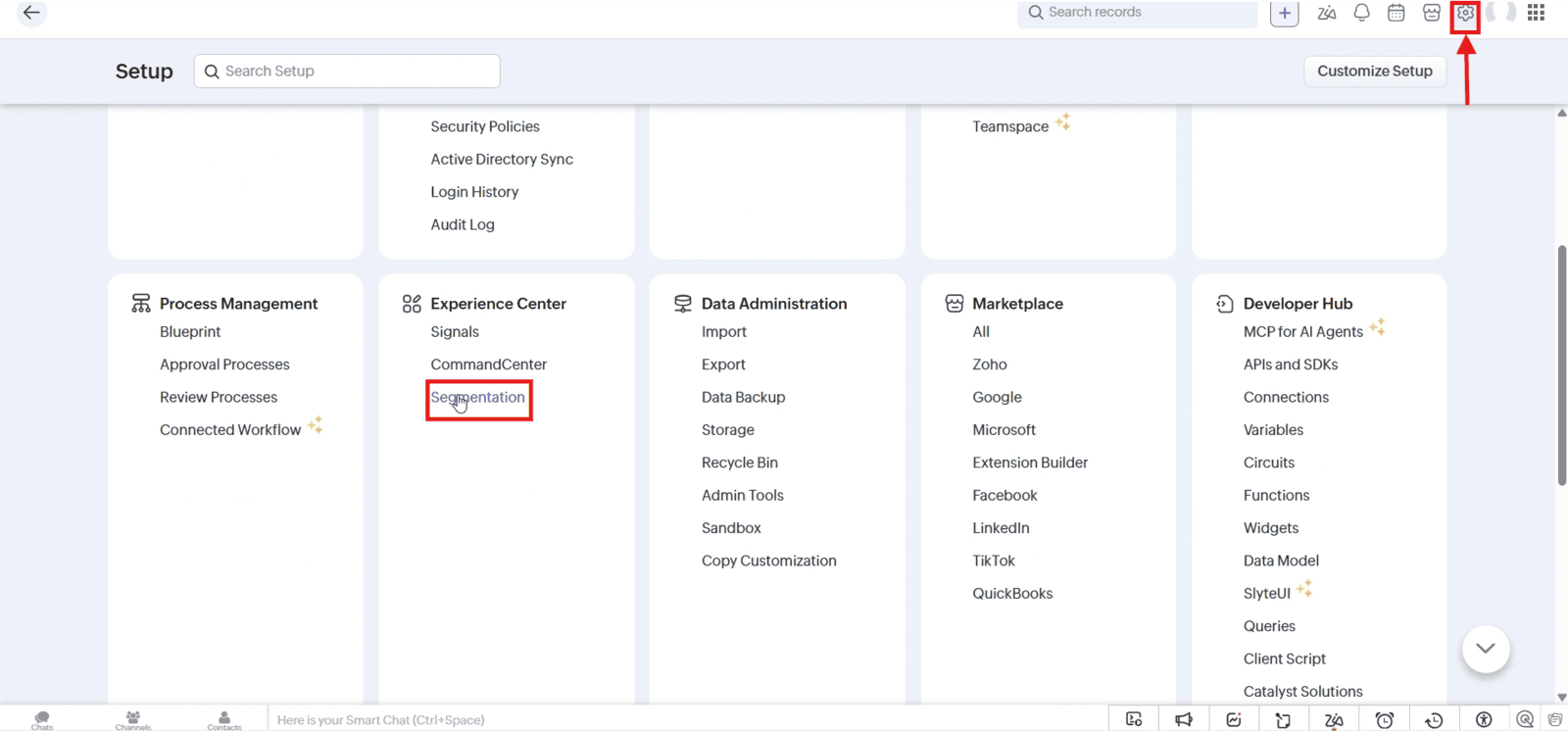
1.1 Navigate to "Setup" and click "Segmentation" under Experience Center
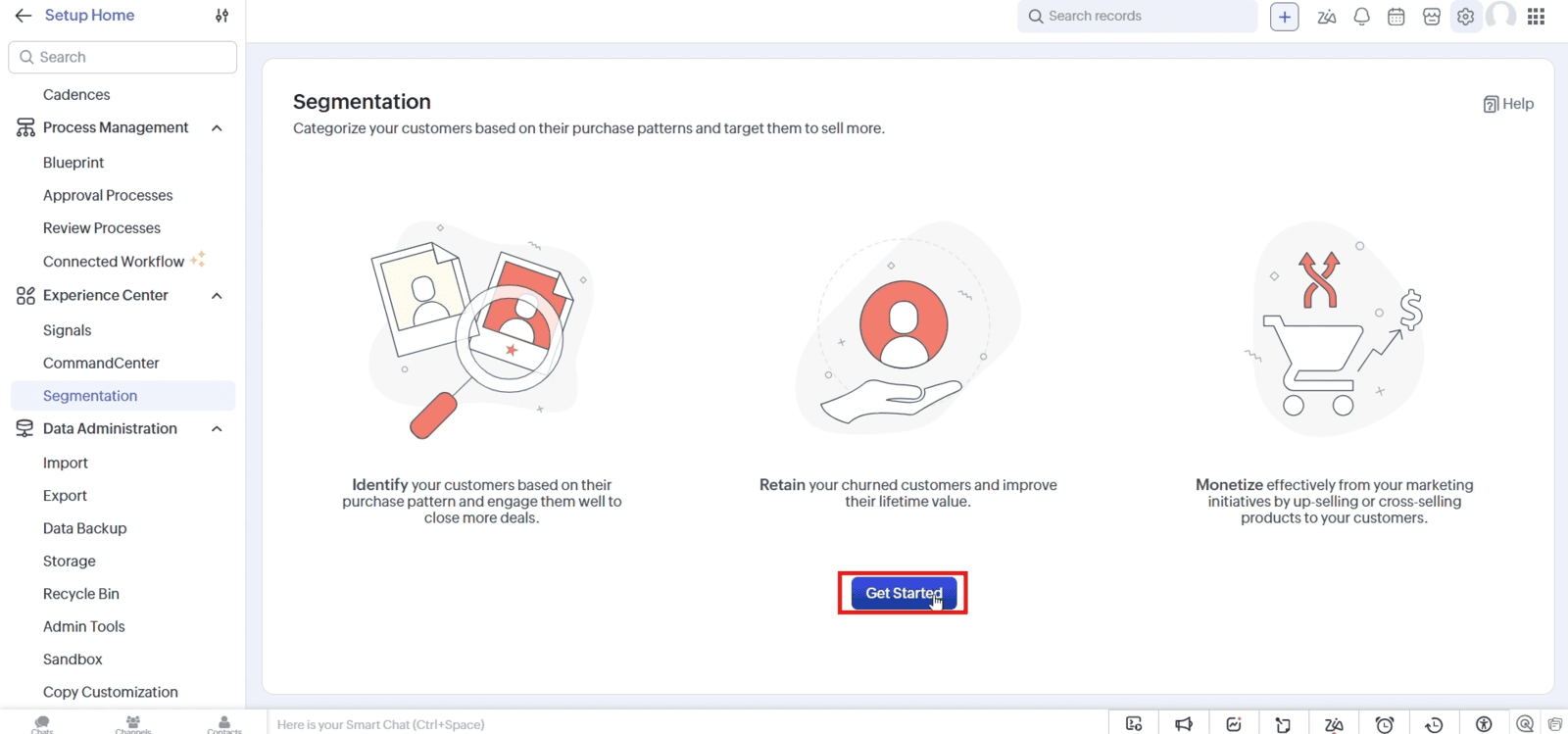
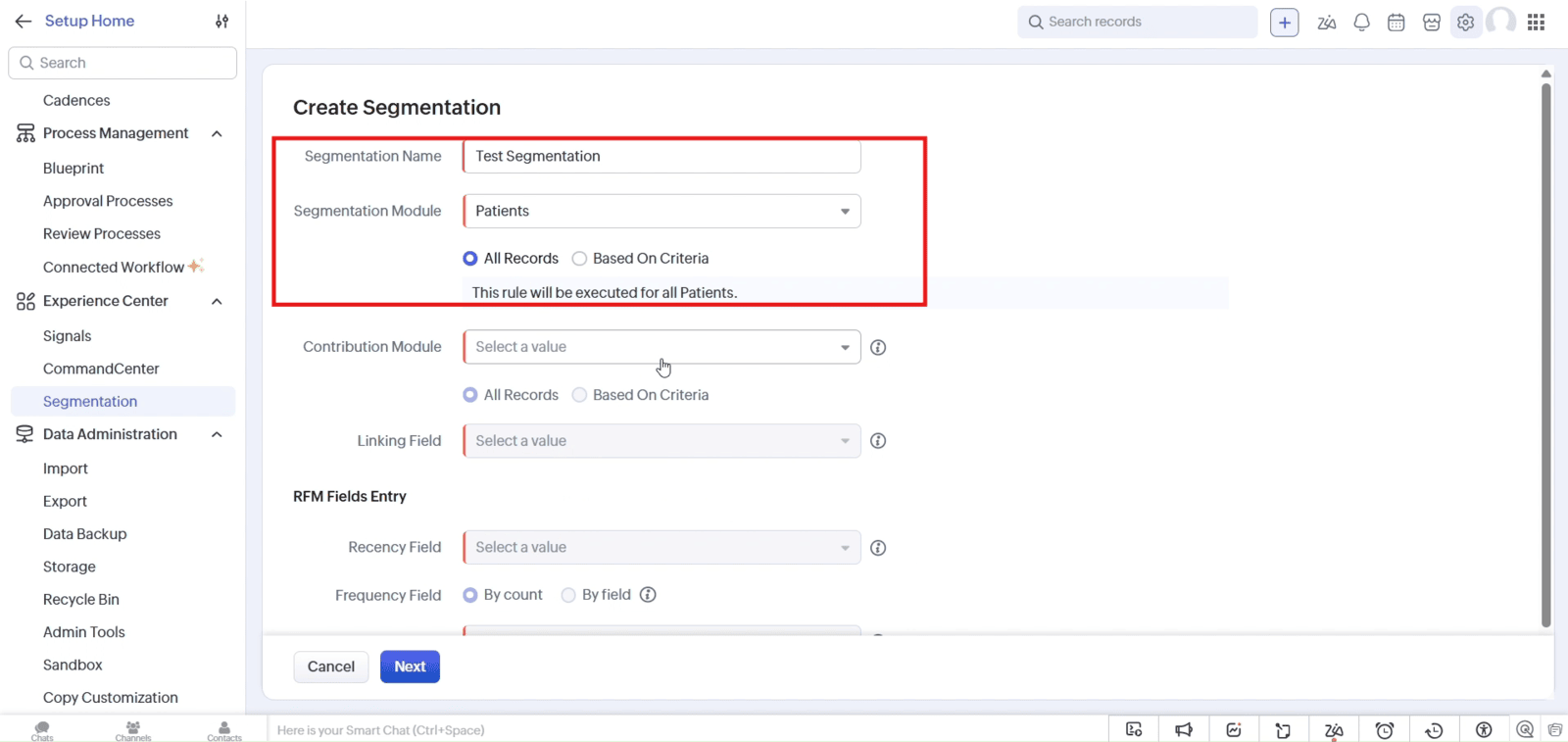
1.2 Click "Get Started" and enter the segmentation name. Select the module to segment and choose the required records
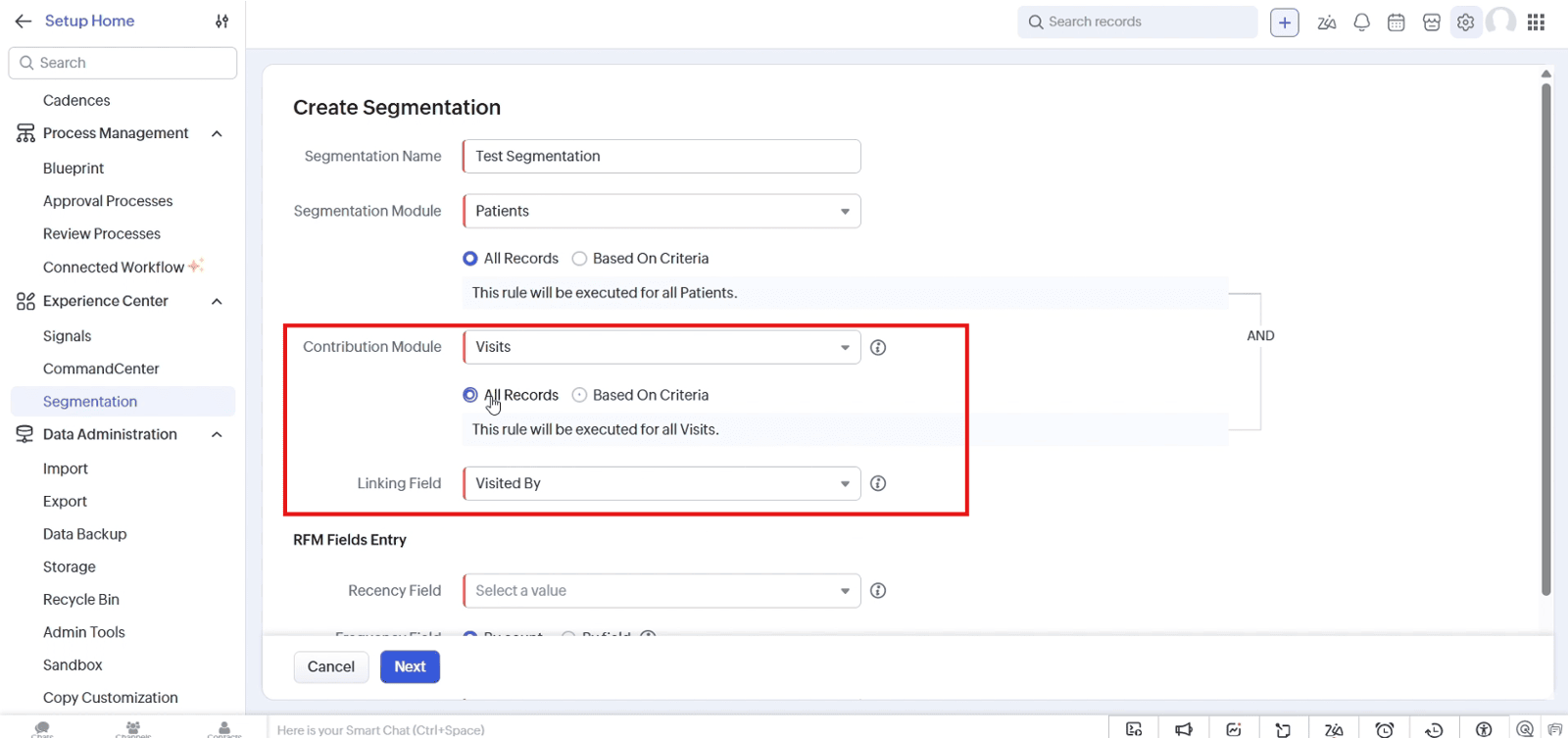
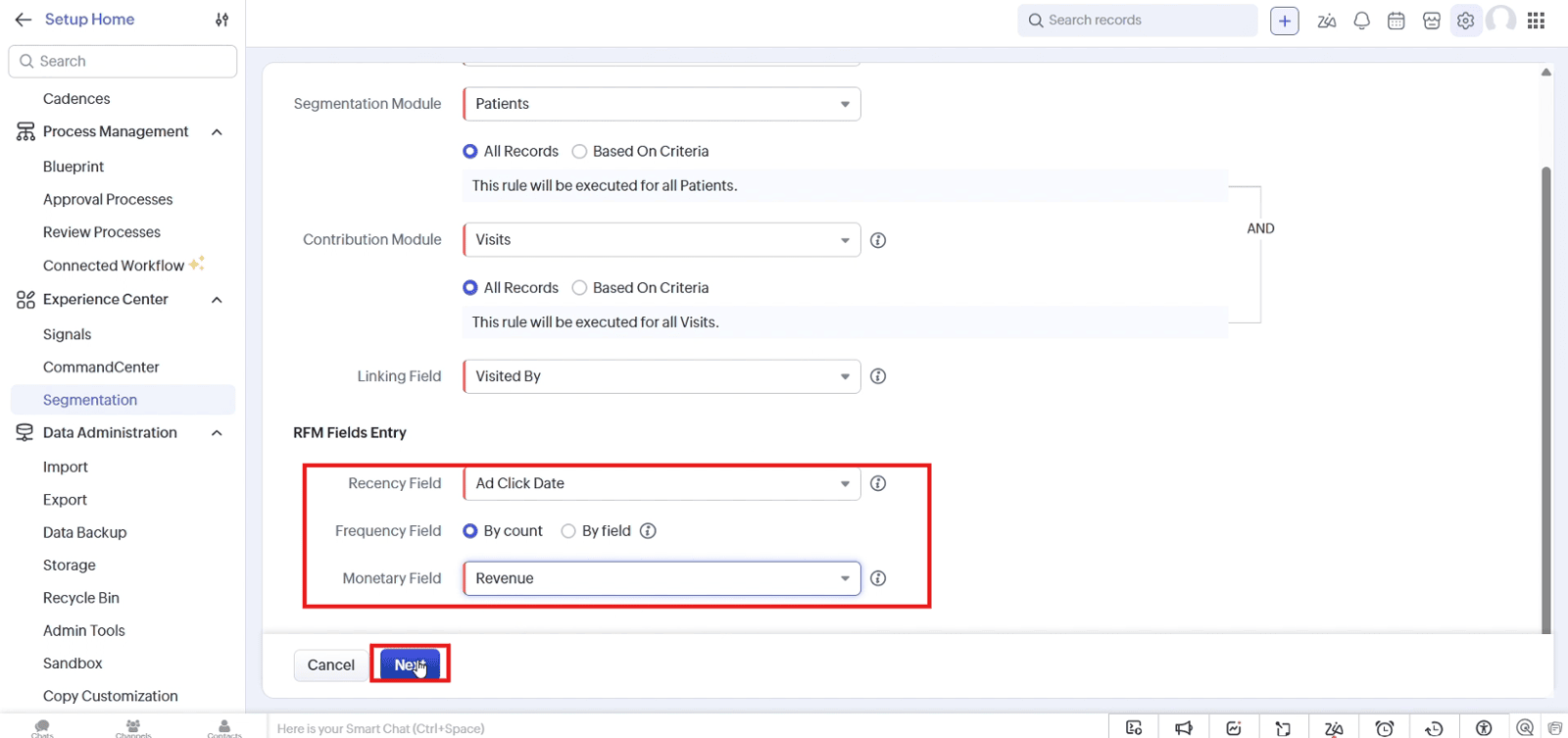
1.3 Select the "Contribution Module" and "Linking Field" to connect related records
1.4 Choose the "Recency Field", "Frequency Field" option, and "Monetary Field" to define the RFM data. Click "Next"
1.5 Set the "Score Range"
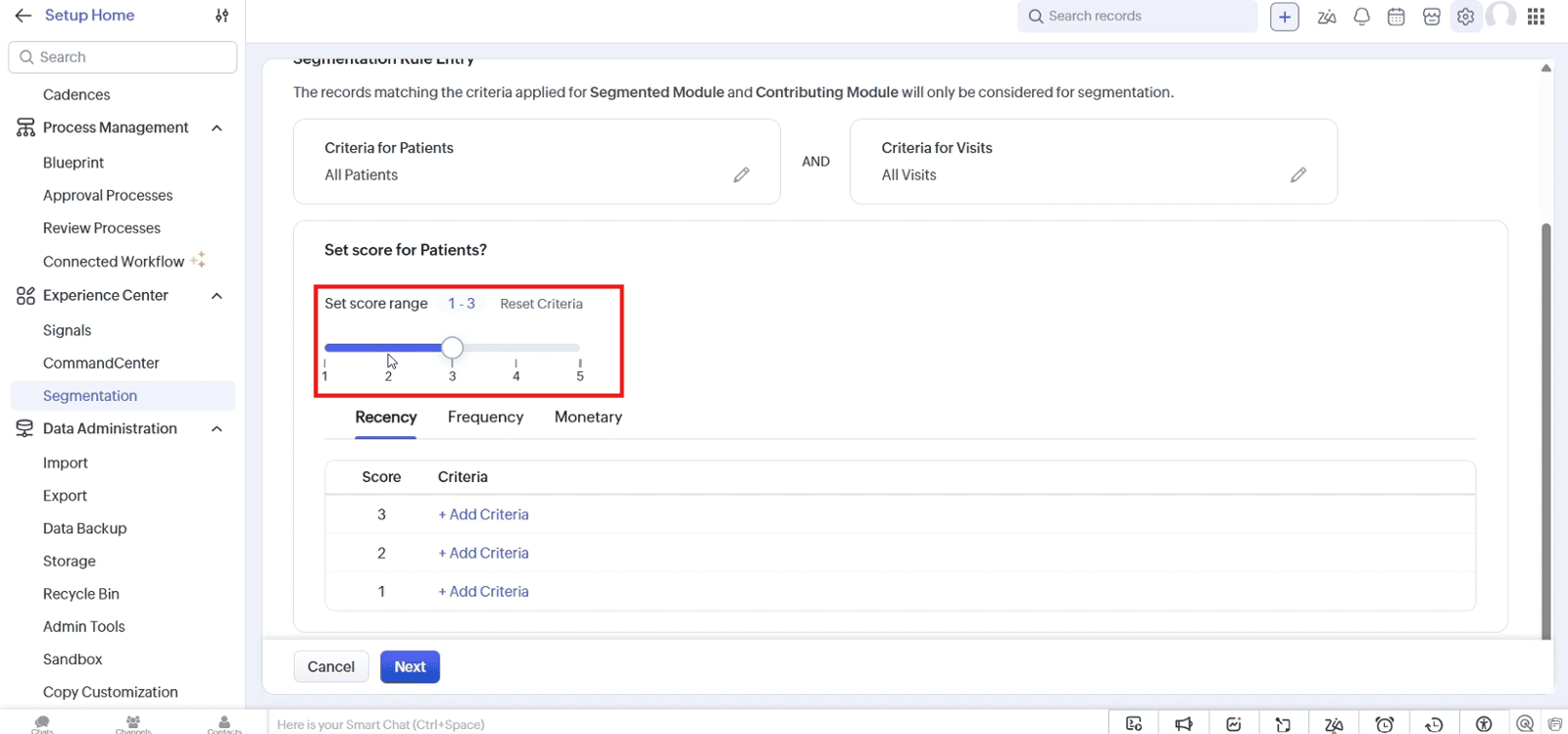
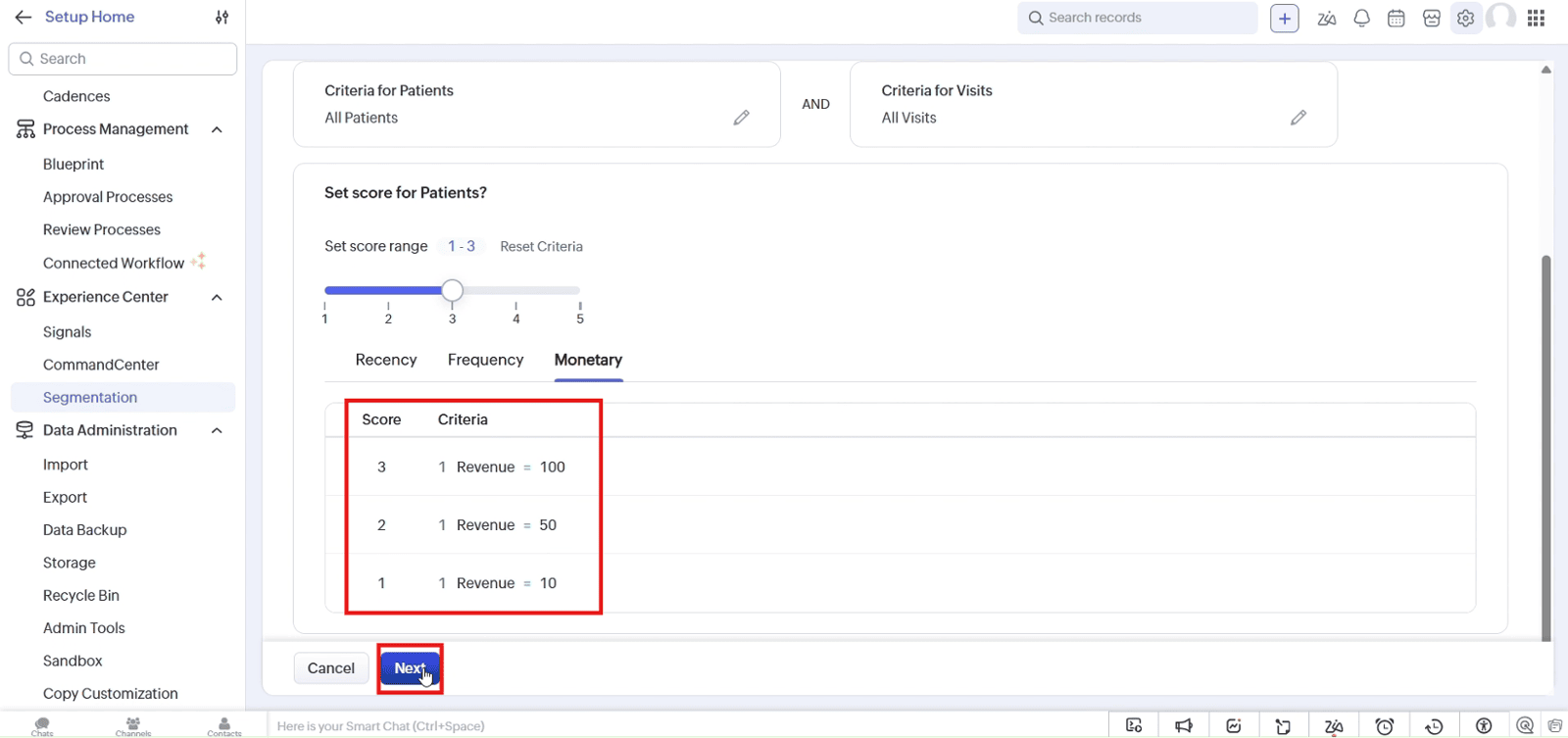
1.6 Add criteria for Recency, Frequency, and Monetary values. Click "Next"
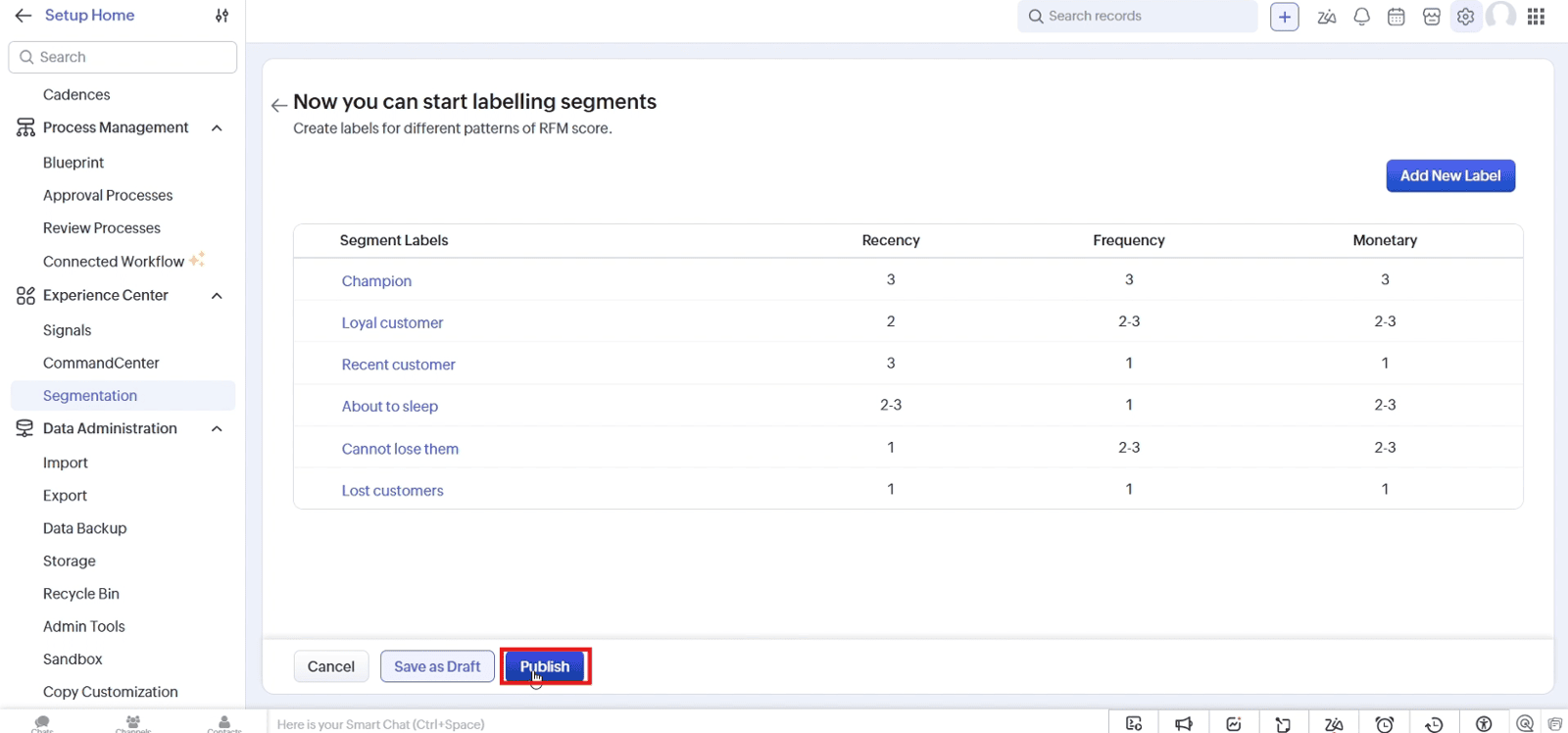
1.7 Create labels for different customer segments and click "Publish"
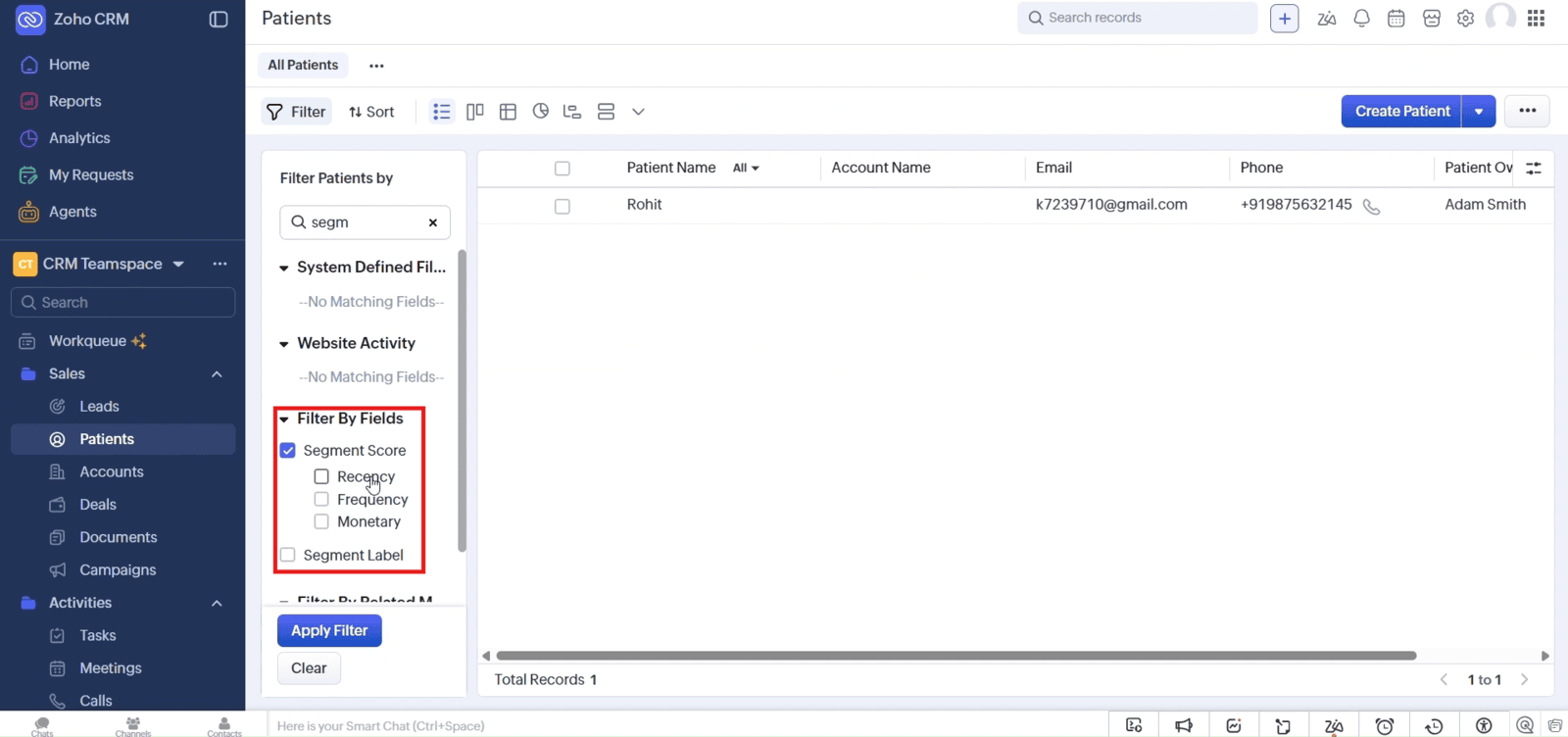
1.8 View the segmented customers and filter them by "Segment Score" or "Segment Label"
Video: Segment Customers Based on Their Purchasing Patterns in Zoho CRM
Here is the video explanation of the above steps.


